


Toca Boca Jr: Fun Kids Games
3.363.79K Reviews
App Specs
- Version
- 4.6.0
- Updated On
- License
- Free
- Downloads
- 100,000,000+
- Developer
- Play Piknik
- Categories
- Educational
- Platform
- Android, iOS
Screenshots
 Analysis by AppCompare
When I hand a young child a phone or tablet, the first snag is often not the game itself but getting from the home screen into something they can enjoy without help. Toca Boca Jr is aimed at children ages 2 to 8, and its open-ended style makes it inviting for kids who would rather tap, try, and invent than follow written instructions. I’d treat it as a collection of playful activities, not as a structured lesson plan: the learning comes through experimenting, making choices, and seeing what happens.
Where young players can get stuck
The controls are designed to feel accessible, but a child who cannot yet read may still need an adult nearby at the start. A child can understand dragging an object before understanding what a screen icon means, and that difference matters when they are trying to move from one activity to another. I’d sit with them for the first session, show how to return to the activity selection, and let them take over once they recognize the visual cues.
Another practical point is that an open-ended activity can be either a strength or a mismatch. A child who enjoys making up stories may happily repeat the same actions in a new way; a child who wants clear goals, levels, or a definite “finished” moment may ask what to do next. If your child tends to lose interest without instructions, try playing alongside them and suggesting a small challenge, such as choosing a character and inventing what happens next. That adds a purpose without turning play into a worksheet.
Guides and Analysis on Toca Boca Jr: Fun Kids Games
Simple setup checks before handing over the device
The game is free to download, but it includes in-app purchases priced from $7.99 to $79.99 per item. I would check the purchase controls on the device before letting a child play alone, and explain that asking for an item is something to discuss with an adult, not a button to tap. That is especially useful when a child is exploring screens quickly and may not distinguish play choices from purchase prompts.
It is also worth checking that the device meets the minimum operating-system requirement of version 9 and that the game has finished installing before a child starts using it. If the app seems slow or will not open, I’d first close it and reopen it, then check for a stable connection if the current screen appears to need one. These are sensible first steps rather than a promise that every problem has the same cause.
A short first session is often the easiest setup. Let your child try one activity while you watch what they can navigate independently. You will quickly see whether they need help with selecting, dragging, or moving back, and you can avoid turning a relaxed play break into repeated troubleshooting.
What’s the Buzz About?
For those not in the know, Toca Boca Jr is part of the Toca Boca series designed specifically for toddlers. Imagine a digital playground where your kiddo can explore, play, and learn without any pesky ads or in-app purchases sneaking in. It’s like giving them the keys to a safe, virtual sandbox.
Worth Reading Before You Choose

Google Calendar Makes a Crowded Week Easier to Manage

Ludo King Makes the Most of the Minutes Between Plans

Baby Panda World Brings Quick Play to Modern Phones, but Its Game Library Feels Busy

ESPN’s Live Game View Makes Following Close Games Easier

QuizzLand Review: A Good Fit for Short Trivia Breaks, Not Every Player

Basketball Stars: Multiplayer Is Fast, but Can It Recover When Matches Go Wrong?
Exploration Galore
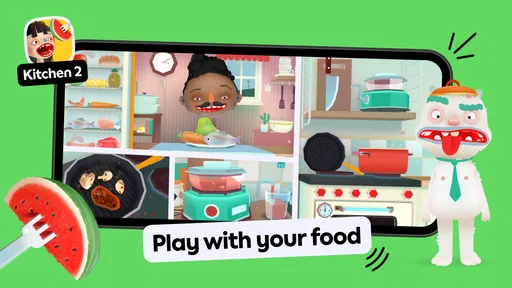
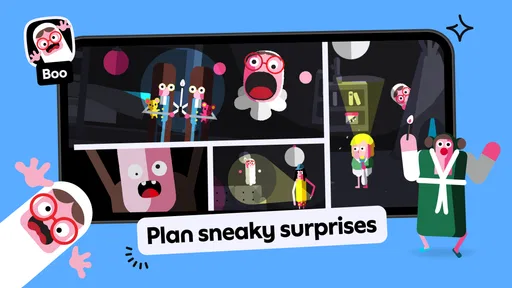
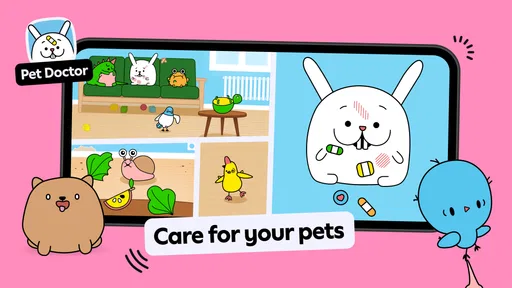
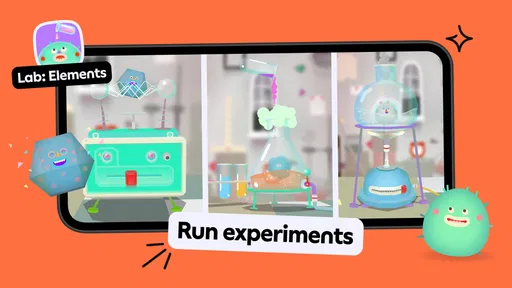
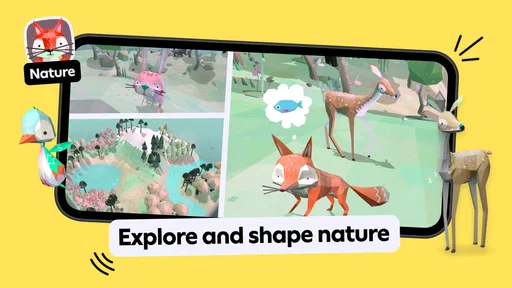
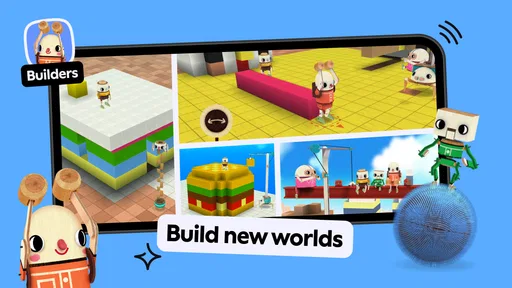
The app offers a bunch of mini-games and activities that are perfect for tiny hands and big imaginations. Whether it’s playing dress-up, cooking up a storm, or just tinkering around, there’s something for every little explorer. The graphics are bright and engaging, which keeps the kiddos glued and entertained.
In everyday use, I can see it working well during a quiet stretch at home: a child can choose an activity while a parent prepares dinner nearby, then show what they made or acted out afterward. That gives the play a natural stopping point without demanding that the app behave like a timed lesson. For a shared moment, you can ask your child to explain their choices or tell you what happens next. The storytelling is the useful part here, not a score or a completed checklist.
Compared with many educational games that focus on matching, quizzes, or correct answers, this is better suited to imaginative exploration than to practicing a specific school skill. If you want letter recognition, counting drills, or a guided sequence with measurable progress, a more focused learning app may fit better. If your goal is a child-led activity that leaves room for pretend play, this approach is more appealing.
“It’s like a never-ending toy box where their imagination is the only limit.”
User-Friendly Experience
One of the things I noticed right off the bat is how intuitive the app is. Even if your little one can’t read yet, they’ll have no problem navigating through the app. The drag-and-drop functionality feels natural, and everything is designed to be as kid-friendly as possible. It’s as if the developers really got into the minds of children to craft this experience.
For a smoother routine, I’d let a child settle into one activity before inviting them to switch. Frequent switching can make a playful app feel like a search exercise, especially for younger users who are still learning where things are. If a child seems stuck, a calm demonstration of one gesture is usually more helpful than taking the device and navigating everything for them. The aim is to give them a small success they can repeat independently.
If the app unexpectedly closes or does not respond, I would reopen it and check whether other apps on the device are also having trouble. Restarting the device is a reasonable next step if a simple relaunch does not help. When the same issue appears across several apps, the device or its connection may be involved rather than this game alone; if only this app is affected, checking that it is up to date is a practical next move. I would avoid assuming that a child’s saved activity or progress can be restored unless the app itself makes that clear.
Learning Through Play
Now, let’s talk about the secret sauce: learning. While the app doesn’t scream "educational," it subtly weaves in learning elements. Kids can practice motor skills, learn about different roles and responsibilities, and even gain a basic understanding of cause and effect. It’s all wrapped up in fun, so they don’t even realize they’re learning.
One useful way to get more from that kind of play is to narrate what your child is doing without correcting every choice: “You tried that, and now this happened” gives them language for cause and effect while leaving them in charge. It also makes the app more engaging for a child who likes company, though it is less convenient if you need an activity that keeps a child occupied entirely independently for a long stretch.
- Creative Play - Encourages imagination and storytelling.
- Self-Expression - Kids can explore their likes and dislikes.
- Problem Solving - Simple puzzles and tasks boost cognitive skills.
Play Piknik is the developer, and the game sits in the educational category, though I would describe its appeal as learning through free play rather than formal instruction. Its average rating is 3.5 from around 1.7 million ratings, with about 63,000 written reviews and over 100 million installs. Those figures suggest it has reached a broad audience, but they do not tell you whether its open-ended pace suits your particular child. The age rating is Everyone, and the current version is 3.7.
Final Thoughts
All in all, if you’re looking for a safe, engaging, and educational app for your toddler, Toca Boca Jr is a fantastic choice. It’s cleverly designed to keep kids entertained while providing subtle learning opportunities. Plus, with no ads or in-app purchases, you can hand over your device with peace of mind. Go ahead, give it a whirl—I bet your little one will love it as much as mine did!
My practical verdict is more qualified: I’d recommend it for children who enjoy choosing their own direction, making up scenarios, and repeating actions to see what changes. It is less suitable if you need a tightly guided curriculum, a clear progression system, or a completely hands-off activity for a child who is not yet comfortable navigating menus. The game was released on May 25, 2015, and its child-focused approach remains easy to understand, but parents should still account for the purchase options and help younger players get oriented.
If you are deciding whether to try it, start with a brief shared session and watch how your child responds to the freedom it offers. If they begin inventing stories and returning to activities by choice, that is a good sign this style fits them. If they keep asking for instructions or a goal, a more structured educational game may be a better match. For the right child, this is a colorful way to turn a short everyday break into imaginative play, with an adult nearby when setup or choices need a hand.
Pros
- Engaging and colorful graphics.
- User-friendly interface for kids.
- Promotes creativity and imagination.
- Variety of mini-games included.
- No in-app purchases
- safe for kids.
Cons
- Limited educational content.
- Can be repetitive over time.
- Requires internet for updates.
- Not suitable for older kids.
- Large app size for storage.
FAQs for Toca Boca Jr: Fun Kids Games
What is Toca Boca Jr. and who is it designed for?
Toca Boca Jr. is an interactive, educational app designed specifically for young children. It aims to provide a safe and creative environment where kids can explore and learn through play. The app features various activities that encourage imagination and creativity, making it ideal for preschoolers and early elementary-aged children.
Is Toca Boca Jr. safe for children to use?
Yes, Toca Boca Jr. is developed with children's safety in mind. The app is free from in-app purchases and third-party advertising, ensuring a secure experience. Additionally, it does not require internet access, so kids can play offline, and parents can have peace of mind regarding their child's online safety.
What kind of activities are included in Toca Boca Jr.?
Toca Boca Jr. offers a variety of activities that focus on creativity, exploration, and learning. Children can engage in role-playing scenarios, solve puzzles, and participate in imaginative play. These activities are designed to stimulate cognitive development and fine motor skills while keeping children entertained and engaged.
Is Toca Boca Jr. available on both Android and iOS platforms?
Yes, Toca Boca Jr. is available for download on both Android and iOS platforms. The app can be found on the Google Play Store for Android devices and the Apple App Store for iOS devices, making it accessible to a wide range of users across different devices.
Does Toca Boca Jr. support multiple languages?
Toca Boca Jr. is designed to be inclusive and accessible, supporting multiple languages. This allows children from different linguistic backgrounds to enjoy the app and benefit from its educational content. The app's language settings can usually be adjusted within the device's system settings or the app itself.


